Opera Mini
Opera Mini is a lightweight and fast web browser for Android devices with data-saving capabilities that save a lot of data.

Safe & Secure
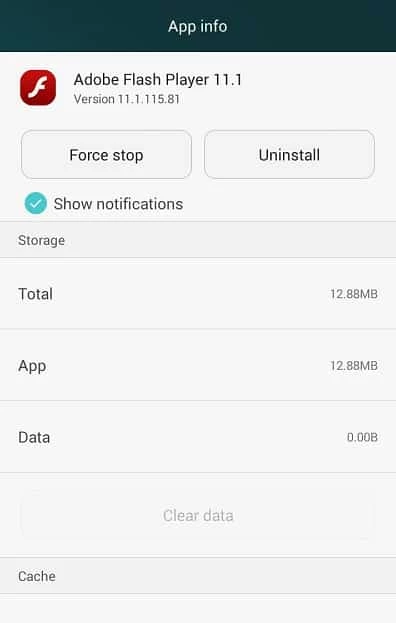
Adobe Flash Player is a comprehensive tool to allow open the flash-based content right on your Android device. It is a free-to-use app that offers a different way to interact with webpages, such as watching your favorite videos and playing games using multiple portals such as MiniClip, Kongregate, and so on.
You can access all types of flash content while avoiding the empty boxes in case of not have the app installed on your device. It is a pre-installed app in most of the devices, but in the Android operating system, it is available on 4.0 and older devices. However, it can be used on the latest Android OS as well.
Adobe Flash Player was developed with the name of FutureSplash Player, and FutureWave rebranded it as Macromedia Flash Player after acquiring it in 1996. In 2005, Adobe acquired it and developed it as Adobe Flash Player. Zhongcheng is currently developing and distributing it for Chinese users and Harman International for enterprise users with the collaboration of Adobe.
Adobe Flash Player helps to run SWF files that are based on Adobe Flash Professional, Adobe Flash Builder, and other third-party tools. It uses ECMAScript-based language called ActionScript, and allows users to reliably play videos, raster graphics, vector graphics, 3D graphics, and embedded audio.
The app makes your entertaining moments awesome, such as playing your favorite games on Facebook, as it is necessary to run Facebook games, watching videos on various social-sharing platforms, including DiscoverChannel, HBOgo, and running interfaces on multiple websites across the web is also possible. The app with lightweight capacity runs in the background, so there is no need to close it for fear of battery draining.
You can manage a lot of tasks reliably with the help of Adobe Flash Player, as it supports multiple file formats, such as;
The app offers a full web experience while offering animated graphics that are quite different from simple banners. It was quite essential part of websites in the 2000s, and browsers to play multimedia content. You can create small, complete games and run them using a browser.
No doubt, the app was necessary for running Flash-based content in the early 2000s, but gradually, it became vulnerable, and Adobe discontinued support for it. The result is a lot of cyber-attacks and malware-infected packages. If you want to use the app, you need to make sure to use it with care while avoiding malware.
It is compatible with old Windows versions, but not available for Windows 10. You can also use it for various web browsers such as Google Chrome, Microsoft Edge, Firefox, and so on. However, it isn’t available by default, and you have to activate it manually. The latest browser versions don’t have support for Flash content.
You can use Flash Player for developing multiple applications, such as building Flex applications using the Adobe Flex framework. It offers a style able Graphical User Interface, data manipulation, and networking components to enhance your workflow. It is possible to code applications based on ActionScript and run video games more reliably. Moreover, the Adobe Gaming SDK is available, which includes open-source AS3 libraries such as Away3D, Starling, Feathers, and Dragon Bones.
You will find an enhanced web experience while watching high-definition videos with crystal-clear sound, as the app support H-264 video, and HE-AAC audio. It is the best solution to play HD videos while offering awesome web browsing capabilities.
It supports Stage3D, a low-level API, but works like a full GPU acceleration, the same as WebGel. It allows you to render pipeline stages through coding shaders. There are awesome improvements in compilers over the years, and the use of the multi-platform language Haxe for building programs. The app helps to download games, videos, animations, and applications easily.
The app has frequent updates, and the developer offers auto updates for the app within 2-3 weeks to improve the performance and fix security vulnerabilities. So, there is no need to search or download the updates manually.
Pros
Cons

Opera Mini is a lightweight and fast web browser for Android devices with data-saving capabilities that save a lot of data.

Microsoft Edge, an AI-powered browser with strong privacy, extensions, and built-in functionality

Kiwi Browser APK is a free, and lightweight Browser based on Chromium and WebKit
Chrome Browser, which supports modern touch screens for fast and secure browsing

Mozilla Firefox browses privately, adds awesome add-ons, and customizes seamlessly

UC Browser offers fast and streamlined browsing with strong data-saving capability